> For the complete documentation index, see [llms.txt](https://docs.getlogentic.com/llms.txt). Markdown versions of documentation pages are available by appending `.md` to page URLs; this page is available as [Markdown](https://docs.getlogentic.com/workflows/inventory-management/inventory-dashboard.md).
# Inventory Dashboard
### Overview
The Inventory Dashboard gives complete visibility into every brand’s products, from stock levels and allocations to detailed SKU history. It consolidates real-time data across warehouses, making it easy to track inventory status, review movements, and maintain accurate product information. With built-in filters, search tools, and export options, managers can monitor, adjust, and act on inventory with speed and confidence.
### How It Works
The Inventory Dashboard provides a unified view of all SKUs across brand's product. Managers can track quantities by status — expected receipts, in stock, allocated to orders, back-ordered, and shopper-defined back-order limits — ensuring nothing falls through the cracks.
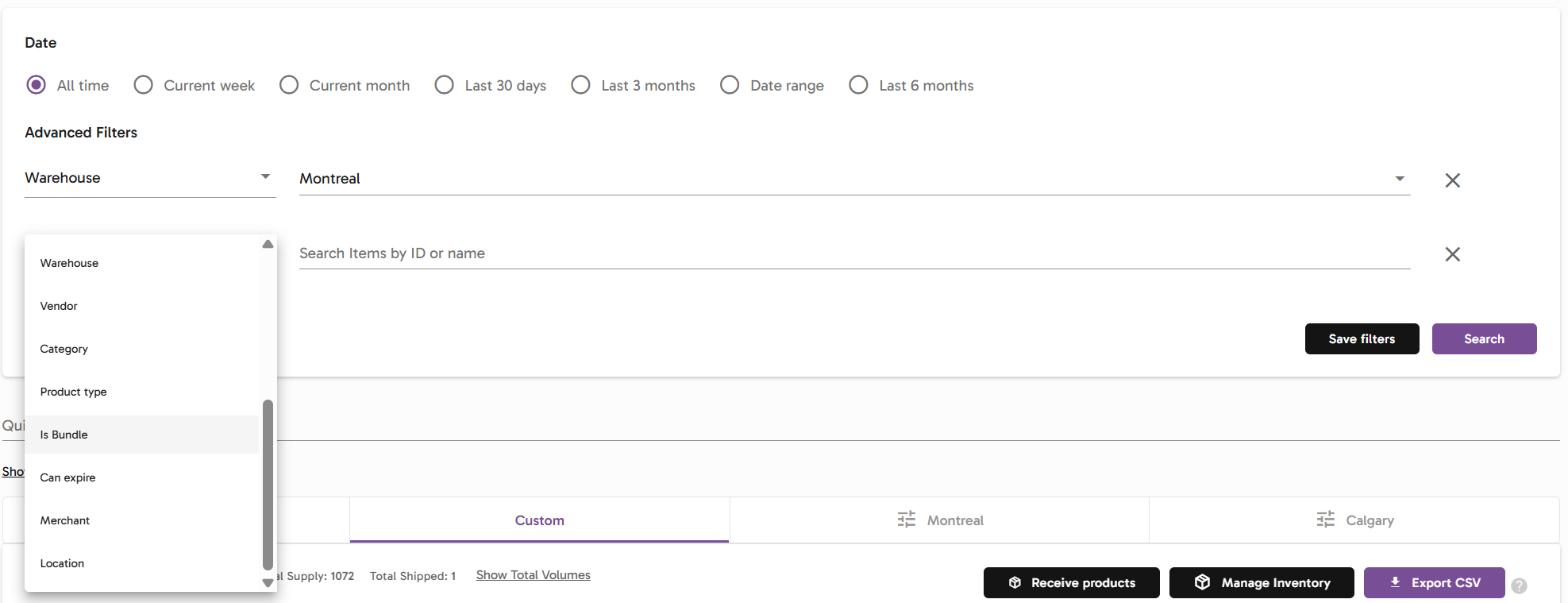
A wide range of filters makes it easy to focus on the right data. Options include filtering by brand, product age (from newest to oldest), or Shopify-synced tags, with a quick search bar for instant lookups.
Drilling into a SKU opens its product details, which include core information such as dimensions, weight, product codes, and barcodes, pulled directly from integrations or shopper configurations. Managers can also define return protocols at the SKU level for consistent handling.
Granular visibility comes through detailed tables that break down pallet and bin allocations, warehouse locations, lots, expiration dates, and quantities per warehouse. SKU history provides a complete record of inventory movements — including receiving, returns, allocations, and fulfillment actions like picking and packing.
{% embed url="" %}
Viewing the Inventory Dashboard — from full SKU visibility to detailed product information, allocations, and movement history.
{% endembed %}
In addition to viewing data, managers can use a dedicated adjustment component to update product information, such as dimensions, weights, or other attributes inherited from integration sources. Products can also be archived or removed, and the dashboard provides quick actions to export data or open the Inventory Manager module for deeper controls.
{% embed url="" %}
Editing product details from the Inventory Dashboard — adjusting dimensions, weights, and integration attributes for accurate data.
{% endembed %}
### Why It Matters
* Acts as the centralized hub for all inventory activity, connecting stock levels, product details, and history in one place.
* Delivers real-time visibility with granular data down to warehouse locations, lots, and expiration dates—ideal for investigation and control.
* Builds client trust with transparent tracking of SKU history, including receiving, returns, and fulfillment actions.
* Enables better planning and accurate fulfillment by breaking down stock across every status—on hand, allocated, back-ordered, to be received, or delivered—so availability is always clear.
### Best Practice
Use the Inventory Dashboard as the starting point for any inventory investigation. Reviewing stock across all statuses—on hand, allocated, back-ordered, to be received, and delivered—gives managers a complete picture before making decisions. Pairing these insights with regular cycle counts validates system data against physical stock, reducing discrepancies, preventing stockouts, and keeping fulfillment accurate. The dashboard is also the best place to identify and resolve duplicated barcodes, ensuring scanning errors don’t disrupt operations.